
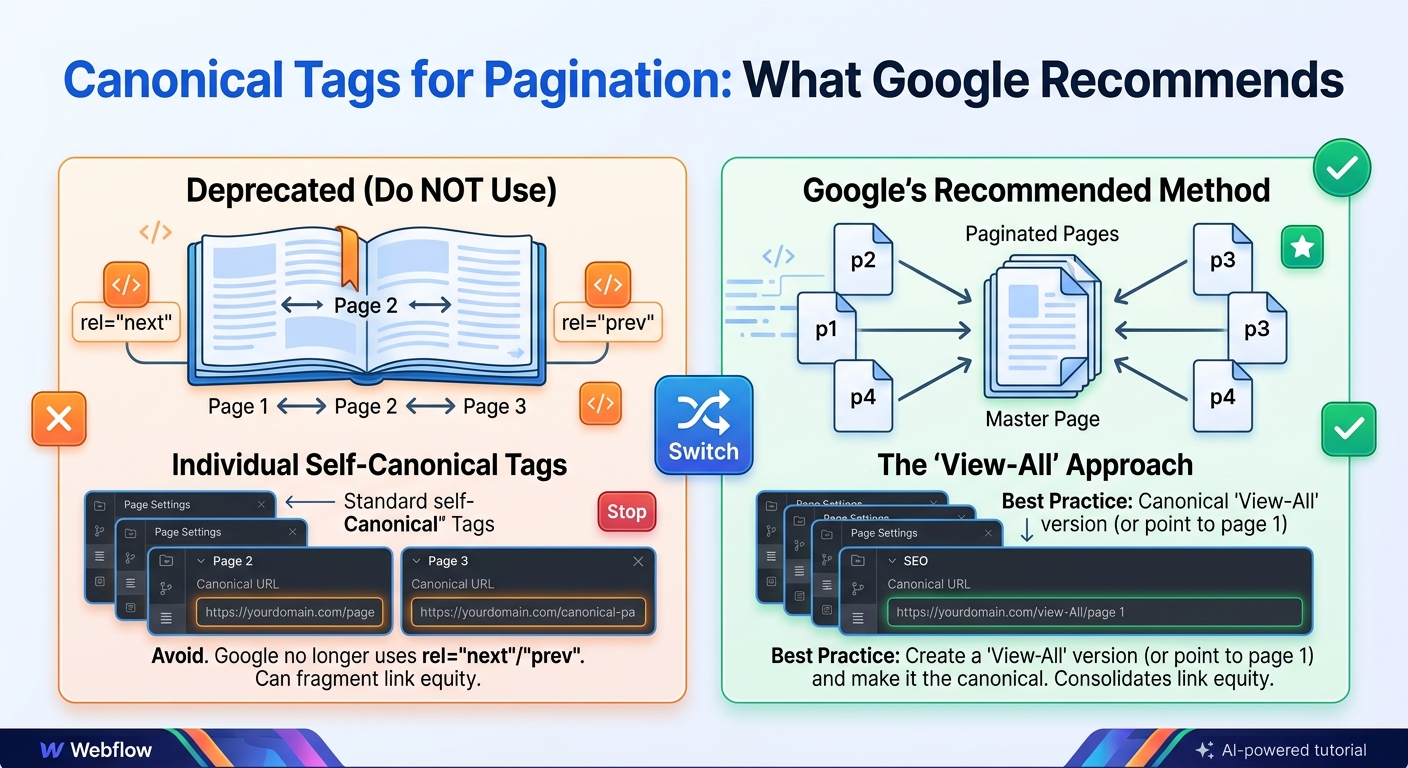
Paginated pages are category pages, blog archives and listings split into page 1, page 2, page 3 and so on. They are one of the most common places for canonical mistakes, and getting canonical pagination right is one of the most useful technical SEO jobs on a large site. The usual error is pointing every page in the series at page 1. Google's guidance advises against that.
This guide explains how canonical tags should work on paginated pages, what Google recommends, how to handle filters, sorting, view-all pages and infinite scroll, and how to check that your setup is working. If you are new to the basics, start with our canonical tags best practices guide.
What is pagination, and why does it need a canonical strategy?
Pagination splits a long list of items across several pages so that each one loads quickly and is easy to browse. An online shop with 400 pairs of shoes might show 24 per page across 17 pages. A blog with hundreds of posts might show ten per page in its archive.
Each of those pages has its own URL, and the URLs look very similar, differing only in a page number. That similarity is exactly what makes them risky. A site owner who worries about duplicate content may be tempted to canonicalize them all to page 1. A site owner who does nothing may end up with inconsistent tags, or with tracking parameters creating extra versions of each page. A deliberate canonical strategy avoids both problems.
What Google recommends for paginated pages
- Each page gets its own canonical. Do not use page 1 as the canonical for the whole series.
- Each page has a unique, crawlable URL. For example
/shoes/page/2/or/shoes/?page=2. Do not use#fragments to change the content. - Pages are linked with normal links. Use standard
<a href>links so Googlebot can follow from one page to the next. - You do not need rel="prev" and rel="next". Google has said it no longer uses them as an indexing signal. Keeping them does no harm, but they will not help in Google.
Why not point every page at page 1?
A canonical tag tells Google that a page is a duplicate of another. Page 2 is not a duplicate of page 1, because it lists different items. If you canonicalize page 2 to page 1, Google may treat page 2 as redundant and stop paying attention to it. Products or articles that only appear on page 2 and beyond can then be harder to discover.
Picture a category with 17 pages where all of them point to page 1. Only the 24 items on page 1 are properly represented. The other 376 items depend on other routes, such as the sitemap or internal links from elsewhere, to be found and indexed. For a shop, that can mean products that never get a chance to rank. A self-referencing canonical on each page keeps the whole series in play.
The correct canonical setup for paginated pages
On page 2 of a category, the canonical looks like this:
<link rel="canonical" href="https://example.com/shoes/page/2/" />On page 3:
<link rel="canonical" href="https://example.com/shoes/page/3/" />Each page uses the full HTTPS URL of itself, with the same casing and trailing slash style as the rest of your site. This is a self-referencing canonical, and it is one of the simplest canonical tag best practices to follow: every indexable page names itself as the preferred version, which protects it if a stray parameter or duplicate path ever appears.
Use absolute URLs rather than relative ones. A tag such as href="/shoes/page/2/" can work, but a full address with the protocol and host removes any room for error, especially on sites with several domains or staging environments.
Page 1 and the base URL
Many sites load page 1 at two addresses, such as /shoes/ and /shoes/?page=1. Pick one, usually the clean /shoes/, and make the other point to it. Redirect it if you can, or give it a canonical to the clean URL. This is the one case where a paginated URL does point somewhere else, because ?page=1 and the base page are the same content.
Make sure your "previous" link on page 2 also goes to the clean base URL, not to ?page=1. Otherwise your own internal links keep reintroducing the duplicate.
Canonical pagination with filters and sorting
A URL like /shoes/?sort=price&page=2 shows the same items as page 2, only in a different order. In most cases, keep the page number and drop the sort or filter, so this URL points to /shoes/page/2/.
<link rel="canonical" href="https://example.com/shoes/page/2/" />The exception is a filtered page that matches real search demand, such as "women's waterproof hiking boots". That page can be a proper landing page with its own title, content and self-referencing canonical, and its own paginated series if it has enough items. Decide this by looking at search demand and whether the filtered page offers something distinct, not by the shape of the URL.
Choosing a pagination URL structure
There are two common ways to build paginated URLs, and both can work:
- Path-based:
/shoes/page/2/. These look like ordinary pages and are easy to read and share. - Parameter-based:
/shoes/?page=2. These are common in CMS platforms and are fine if you keep them consistent.
Whichever you choose, stick to one pattern across the site, keep the order of parameters stable, and never use a fragment such as /shoes/#page=2. Search engines ignore everything after the #, so a fragment-based page is invisible to them.
View-all pages
Some sites offer a "view all" page that lists every item on one URL. This can work for short lists. For long lists it tends to load slowly and be heavy for both visitors and crawlers, so most sites stay with paginated pages and self-referencing canonicals. If you do use a view-all page, make sure it loads quickly on mobile and contains every item, and be consistent about whether the paginated pages or the view-all page is the preferred version.
Internal linking and crawl paths
Canonical tags only help if search engines can reach the pages. A few habits make paginated series easier to crawl:
- Link to the next and previous pages, and to the first page, using plain HTML links.
- For long series, link to a few pages ahead as well, such as pages 1, 2, 3 and the last page, so deep pages are not many clicks away.
- Link to important products or articles from other places on the site too, so they do not rely on a single deep page.
- Keep breadcrumbs on each paginated page so the hierarchy stays clear.
Titles and meta descriptions on paginated pages
Paginated pages share a topic, but they should not be identical in every detail. Add the page number to the title, for example "Running Shoes - Page 2", and consider shortening or varying the description. This helps both visitors and search engines tell the pages apart, and it avoids a long run of results in a search report with exactly the same title.
Common pagination canonical mistakes
- Canonicalizing every page to page 1. This hides deeper items from Google.
- Pointing a page at a different page number. Page 3 should not canonicalize to page 2.
- Adding noindex to page 2 and beyond. Over time, Google may stop following links on pages that stay noindexed, which can cut off the products or articles they link to.
- Blocking paginated URLs in robots.txt. Google cannot see the canonical tag or follow the links if it cannot crawl the page.
- Using JavaScript-only navigation. If next-page links are not real links in the HTML, crawlers may not follow them.
- Identical titles and descriptions on every page. Add the page number to the title.
- Mixing signals. If your sitemap lists one version of a paginated URL and your canonical points to another, Google has to choose.
- Letting parameters multiply. Session IDs, tracking codes and sort options can create many versions of each page unless the canonical points to the clean URL.
Pagination canonical tag best practices checklist
- Every paginated page has a unique URL.
- Every paginated page has a self-referencing canonical with the full HTTPS URL.
- Page 1 is available at one clean URL only.
- Sort and filter variations point to the matching clean page.
- Next and previous page links are standard HTML links.
- No noindex and no robots.txt block on pages 2 and beyond.
- Titles include the page number.
- Sitemaps list the same URL versions that your canonicals use.
How to check your pagination
Crawl the site with a tool such as Screaming Frog or Sitebulb and compare each paginated URL with its declared canonical. Any page 2 or page 3 whose canonical differs from its own URL deserves a look. Then use the URL Inspection tool in Google Search Console on a few deep pages to confirm that the Google-selected canonical matches your User-declared canonical.
Also look at the Page indexing report. If many paginated URLs appear under "Alternate page with proper canonical tag", check whether they are pointing at page 1, since that is the usual cause. If they appear under "Duplicate, Google chose different canonical than user", Google is overriding your tags and you should look for conflicting signals such as redirects, sitemap entries or inconsistent internal links.
Frequently asked questions
Should paginated pages be indexed?
Generally yes. They give Google a path to the items listed on deeper pages. You do not need to promote them in search results, but you should not block them either.
Should page 2 have a canonical to page 1?
No. Page 2 should have a canonical pointing to itself.
Do rel="next" and rel="prev" still matter?
Not for Google, which no longer uses them for indexing. You can leave them in place, but they are not required.
Does the same advice apply to blog archives?
Yes. Blog archive pages, tag pages and search listings follow the same rules: unique URLs, self-referencing canonicals, crawlable links.
What if my paginated pages have filters?
Keep the page number and remove the sort or filter in the canonical, unless the filtered page is a valuable landing page that deserves its own canonical.
Is a view-all page better than pagination for SEO?
Only for short lists that load fast. For long lists, a single huge page can be slow and unwieldy, so paginated pages with self-referencing canonicals are the safer default.
Can I use a 301 redirect instead of a canonical on paginated pages?
Only for true duplicates such as ?page=1. Pages 2, 3 and beyond are different content, so they should stay as separate URLs. For how the two tools differ, see our guide to canonical vs 301 redirect.